

Protect your top pages, map every changed URL to a precise 301 redirect, and test the whole build on staging before it goes live — that’s website redesign SEO in a sentence. Start the SEO audit before design work begins, not after, because template decisions made without a keyword-to-URL map are the single biggest cause of ranking loss. Finish with a 90-day monitoring plan and you’ll catch problems while they’re still cheap to fix.
TL;DR:
- Building a comprehensive URL and keyword-to-URL map before redesign eliminates the risk of losing top-ranking pages and ensures a smooth transition.
- Including explicit SEO requirements in design briefs, such as URL structure, schema markup, and Core Web Vitals thresholds, helps maintain rankings during development.
- Proper redirect mapping from old to new URLs prevents ranking loss by consolidating topical authority and avoiding blanket redirects to the homepage.
- Ensuring technical SEO aspects like schema validation, robots.txt, canonical tags, and sitemap accuracy are thoroughly tested on staging prevents indexing issues at launch.
- Continuous monitoring over 90 days, especially within the first two weeks, detects and fixes redirects, indexation, or performance issues before they cause long-term ranking damage.
Table of Contents
- Website redesign SEO starts with a full pre-launch audit
- Building SEO requirements into design and development briefs
- Content pruning, consolidation, and the 301 redirect plan
- Technical SEO checklist: Core Web Vitals, indexing, and schema
- Staging QA checklist before you go live
- Launch day and the 90-day monitoring schedule
- What small teams should never compromise on
- The checklist industry oversells complexity, not care
- How West Legacy Group handles your redesign, step by step
- Where to check your work
- Sources
Website redesign SEO starts with a full pre-launch audit
Before anyone touches a wireframe, you need a complete export of the current site. Skip this step and you’re redesigning blind, which is exactly how businesses lose their best-ranking pages without noticing until traffic has already dropped.
Pull a full URL list from Google Search Console, Google Analytics, and a crawler like Screaming Frog; for deeper insights, check out queue analytics metrics for restaurants, clinics & more. Each row needs enough detail to make a real decision about that page’s future.
- URL and current status code (200, 301, 404)
- Page title and H1
- Organic traffic and conversions over the last 12 months
- Referring domains and total backlinks pointing to that URL
- Primary keyword the page currently ranks for
That export becomes your migration baseline. Rank every URL by traffic and conversions, then build a keyword-to-URL map that names the old URL, the new URL, the primary keyword, who owns the migration task, and the deadline. SEO Brothers’ redesign guide treats this map as the single document that prevents orphaned rankings, and it’s hard to overstate how often teams skip it and pay for it later.
| Field | Why it matters |
|---|---|
| Backlinks per URL | Losing a page with many referring domains without a redirect wastes years of link equity |
| Traffic (12 months) | Identifies pages that must not lose their ranking position |
| Conversions | Flags commercially important pages regardless of traffic volume |
| Current keyword | Confirms what the new page needs to target to hold rank |
A thorough redesign checklist always starts with auditing top performers before anyone changes a single template.
Building SEO requirements into design and development briefs
Design briefs that don’t mention SEO produce templates that break it. Every ticket handed to a designer or developer needs testable acceptance criteria, not a vague note to “keep SEO in mind.”

Decide URL structure early, and decide it deliberately. If a URL already ranks well and doesn’t need to change, leave it alone — changing URLs for aesthetic reasons is one of the most common unforced errors in a redesign. Where new URLs are genuinely needed, finalise them before development starts, because Google’s own SEO starter guide recommends descriptive, logically grouped URLs and consistent canonicalisation as core to how search engines understand a site.
Template-level requirements belong in the brief itself:
- H1 placement locked to one per template, matching the page’s target keyword
- Breadcrumb navigation with schema markup on every category and product page
- Internal linking components built into the template, not left to individual page editors
- Meta title and meta description placeholders that pull from a field, not hardcoded text
- A performance budget attached to every template, not just the homepage
Pro Tip: Attach Core Web Vitals thresholds directly to the ticket description, not a separate document. Developers who see “LCP under 2.5 seconds” in the ticket treat it as a requirement, not a suggestion.
Starting SEO input at the brief stage, rather than after design is approved, is the difference between a redesign that holds rankings and one that spends three months recovering them.
Content pruning, consolidation, and the 301 redirect plan
Not every page deserves to survive a redesign, but every page deserves a decision. Run each URL from your audit through four filters: traffic, conversions, backlinks, and topical relevance to your current business.
- Keep and preserve — high traffic, high conversions, strong backlinks. Migrate as-is with minimal content changes.
- Consolidate — several thin pages covering the same topic. Merge into one stronger page and redirect the rest.
- Prune with a redirect — low traffic but decent backlinks. Redirect to the closest topically relevant page rather than deleting it outright.
- Retire without a redirect — genuinely obsolete pages with no traffic, no backlinks, no relevance. Let these 404 or redirect to a relevant category page.
Redirecting a low-value page to your most relevant pillar page consolidates topical authority instead of scattering it, which is a better outcome than deleting the page and losing whatever link equity it built up. Map every changed URL to the closest topically matching new page. A blanket redirect-everything-to-the-homepage approach is one of the fastest ways to tank a redesign, because Google treats it as a soft 404 signal and search visibility for those pages disappears.
Pro Tip: Once your redirect map is built, crawl it. Testing every redirect with a crawler such as SEOptimer or Screaming Frog against your original URL list catches redirect chains and wrong targets before they ever reach a live domain.
Missing or incorrect redirects and unexpected navigation changes are the most frequently cited causes of ranking drops after a redesign, according to Shopify’s redesign SEO guidance — and short-term fluctuation of any size is normal, but only if you’re watching for it.
Technical SEO checklist: Core Web Vitals, indexing, and schema
Three technical failures account for most redesign disasters: broken indexing signals, unvalidated schema, and a performance regression nobody caught until launch.
Core Web Vitals need firm thresholds tested across every template type, not just the homepage. Aim for Largest Contentful Paint (LCP) under 2.5 seconds, Interaction to Next Paint (INP) under 200 milliseconds, and Cumulative Layout Shift (CLS) under 0.1, which the 2026 website SEO checklist lists as the primary technical priorities during a redesign. Test the homepage, a category page, a product or service page, and a blog post separately, because a new hero video or carousel script can wreck LCP on one template while leaving others fine.
Mobile testing deserves priority billing, not an afterthought pass. Mobile traffic makes up the majority share of global internet traffic in most regions, so a build that only gets tested on a desktop monitor is being tested for the wrong device.
Before launch, confirm each of these individually:
- Robots.txt allows crawling of the production domain (staging directives must not carry over)
- Meta robots tags are set to index/follow on every page meant to rank
- Canonical tags point to the correct final URL, not a staging or parameter version
- JSON-LD schema validates cleanly through the schema validator for every template using structured data
- XML sitemap reflects the new URL structure and excludes redirected or removed pages
- Search Console and Bing Webmaster Tools are verified against the new property before go-live
Skip any one of these and you risk launching a site that’s fast and beautiful but invisible to search engines for weeks.
Staging QA checklist before you go live
A staging build that hasn’t been crawled is a build that hasn’t been tested. Run these checks in order, and don’t skip ahead because launch day is close.
- Crawl the full staging site and compare the output against your keyword-to-URL map and redirect spreadsheet, flagging any missing or mismatched URLs.
- Spot-check H1s, meta titles, and meta descriptions on representative pages from every template type.
- Validate schema markup renders correctly and internal links resolve without redirect chains.
- Check that images and video have proper alt text and haven’t introduced layout shift.
- Confirm the staging environment is blocked from indexing (robots.txt disallow or password protection), then verify the removal of that same directive is on the launch-day checklist.
That last step trips up more teams than any other item on this list — a staging noindex tag that survives into production can quietly deindex an entire site.
Launch day and the 90-day monitoring schedule
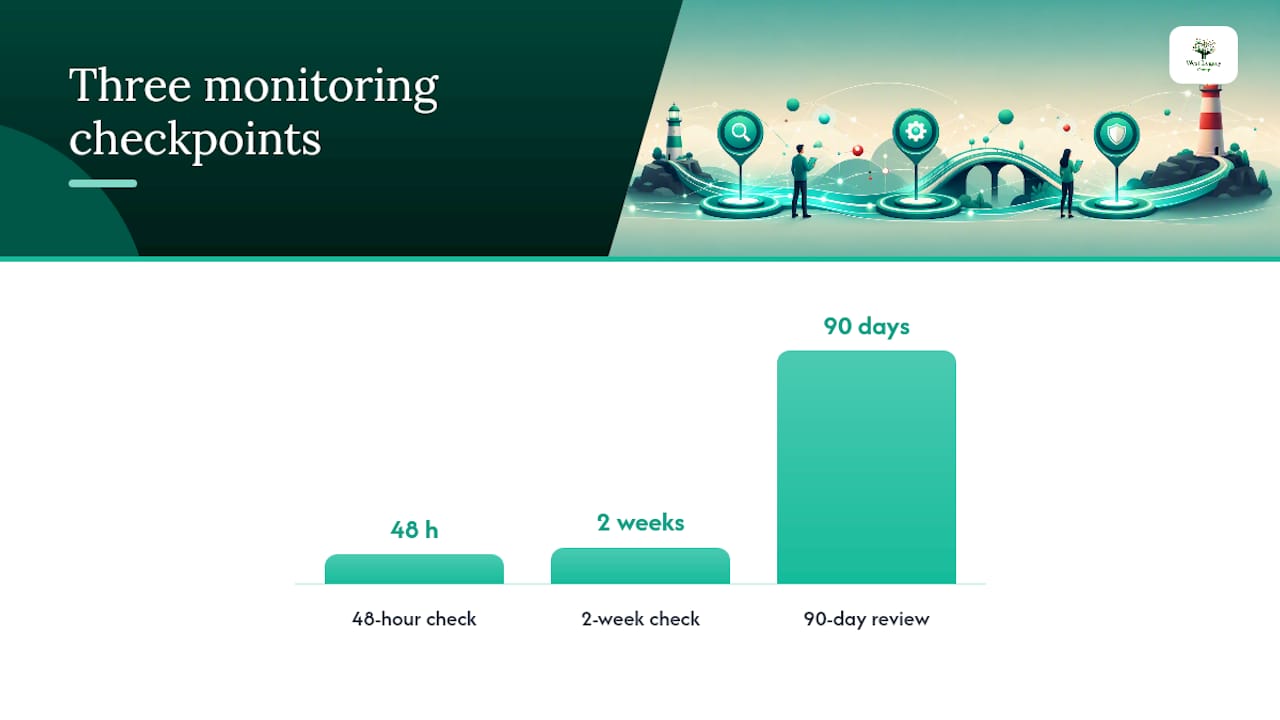
Launch day isn’t the finish line. Treat the first 48 hours, the following two weeks, and the full 90 days as three separate checkpoints, each with its own job.
Within 48 hours:
- Confirm production robots.txt allows crawling and the staging noindex is gone
- Submit the new XML sitemap in Search Console and request indexing for your highest-value URLs
- Spot-check at least 50 of your most important redirects manually, not just the automated crawl
- Confirm GA4 and Search Console are tracking correctly on the live domain
At two weeks and four weeks, check the Search Console Coverage report for indexation errors, review Core Web Vitals field data (not just lab scores) per template, and watch for any pages stuck in “Discovered, not indexed.”
At 90 days, compare traffic, rankings, and conversions directly against your pre-launch baseline. A tight 48-hour and 14-day QA cadence catches most staging and redirect mistakes before they become long-term damage, but the 90-day mark is where you’ll know if the redesign actually worked. Prioritise fixes on your highest-traffic, highest-conversion pages first.
What small teams should never compromise on
If resources are tight, spend them on three things: redirects, top-page templates, and site speed. Everything else can wait.
A fixed-fee audit or an affordable 90-day retainer reduces recovery risk enormously compared with fixing problems after rankings have already dropped. It’s genuinely fine to defer non-critical content refreshes, new blog categories, or cosmetic copy tweaks until after the 90-day baseline confirms rankings have stabilised. Chasing content polish before your redirects are verified is backwards priority, every time.
The checklist industry oversells complexity, not care
Most redesign advice reads like it was written for enterprise teams with twelve-person SEO departments. Small businesses don’t need forty-point checklists. They need the four or five things that actually cause traffic loss, done properly, in the right order.
The conventional wisdom treats every redesign step as equally urgent. It isn’t. A missing meta description costs you almost nothing. A redirect pointed at the homepage instead of the matching new page can cost you years of ranking history. The research backs a narrow, disciplined focus: get the keyword-to-URL map right, get the redirects right, get Core Web Vitals right on every template, and watch the first 90 days closely. Do those four things well and you’ll outperform a business that “did everything” but skipped the boring export step at the start.
Where most small businesses fail isn’t ambition, it’s sequencing. They design first and think about SEO during launch week, when the real leverage was always in the audit nobody wanted to spend a day doing.
— Christopher
How West Legacy Group handles your redesign, step by step
Redesign packages are built around exactly this checklist, rather than treating SEO as an add-on bolted onto a design project after the fact. Every project starts with the pre-launch audit and keyword-to-URL map, moves through redirect testing on staging, and finishes with a 90-day monitoring window instead of a handshake and a goodbye email.

A typical small-business package folds in the website design build itself, the redirect and content migration plan, staging QA against Core Web Vitals targets, and structured reporting through the monitoring period, all run against West Legacy Group’s own LEGACY Framework™ for structured web projects. If you’d rather run the audit yourself first and bring in help for the technical build, the self-serve SEO plan builder is a sensible place to start. Either way, get in touch for a fixed-fee audit quote or a 90-day retainer scoped to your redesign timeline before you finalise a launch date.
Where to check your work
- Google’s SEO starter guide for structure and canonicalisation rules
- Schema validator for testing JSON-LD before launch
- HubSpot’s redesign SEO checklist for a practitioner-level task list
- West Legacy Group’s guide on redesigning without losing rankings for worked examples