

An effective emergency service landing page does one thing above everything else: it gets a distressed visitor to the right contact within seconds. That means a clear headline stating what you do and where, a persistent 24/7 click-to-call button, a brief list of immediate actions, and your service area visible without scrolling. Kalamuna’s guidance on emergency landing page best practices confirms that a dedicated page prevents visitors being distracted by unrelated site content during a crisis.
Non-negotiables to include right now:
- Headline: “24/7 Emergency [Service] in [Suburb/Region] — We’re On Call Now”
- Click-to-call CTA:
<a href="tel:+61XXXXXXXXXX">Call Us Now — Available 24/7</a> - Three-line action list: What to do immediately, what NOT to do, and when to call 000
Pro Tip: Draft your emergency page inside your CMS before you need it. Preparing content in advance cuts deployment time from hours to minutes when a real incident hits.
Key takeaways
An emergency service landing page works when it puts a 24/7 click-to-call and a clear service area above the fold, loads fast on mobile, and carries Schema.org LocalBusiness markup linked to your Google Business Profile.
| Point | Details |
|---|---|
| Click-to-call above the fold | Place a tel: link and sticky bottom bar so the phone number is always visible on mobile. |
| Schema.org LocalBusiness markup | Add structured data with 24/7 openingHoursSpecification and areaServed to improve local search visibility. |
| Pre-launch Lighthouse targets | Aim for Performance ≥90, Accessibility ≥95, SEO ≥95 before publishing. |
| 000 disclaimer required | Include a visible safety disclaimer directing life-threatening emergencies to call 000. |
| West Legacy Group | Builds and launches mobile-first emergency pages with WordPress, GA4 tracking, and local SEO included. |
Table of Contents
- What does every emergency landing page need?
- How do you design for visitors under stress?
- What technical and local SEO steps make the page discoverable?
- What legal and safety notes must you include?
- Pre-launch checklist before you publish
- How do you measure and maintain the page after launch?
- Copy snippets and layout templates you can use today
- Developer resources to spin up the page fast
- Why most emergency pages fail before the first call comes in
- West Legacy Group can build and launch your emergency page
- Sources
What does every emergency landing page need?
Your page structure should move a stressed visitor from “I have a problem” to “help is coming” in under 30 seconds.
Hero section carries the heaviest load. Lead with your headline, a one-line situation summary (“Burst pipe? Structural damage? We cover Greater Sydney 24/7”), and two CTAs side by side: a click-to-call button and an SMS or email fallback. EmergenServe’s approach of placing the phone number as the primary conversion path, backed by a same-day booking option, is a proven pattern worth copying.
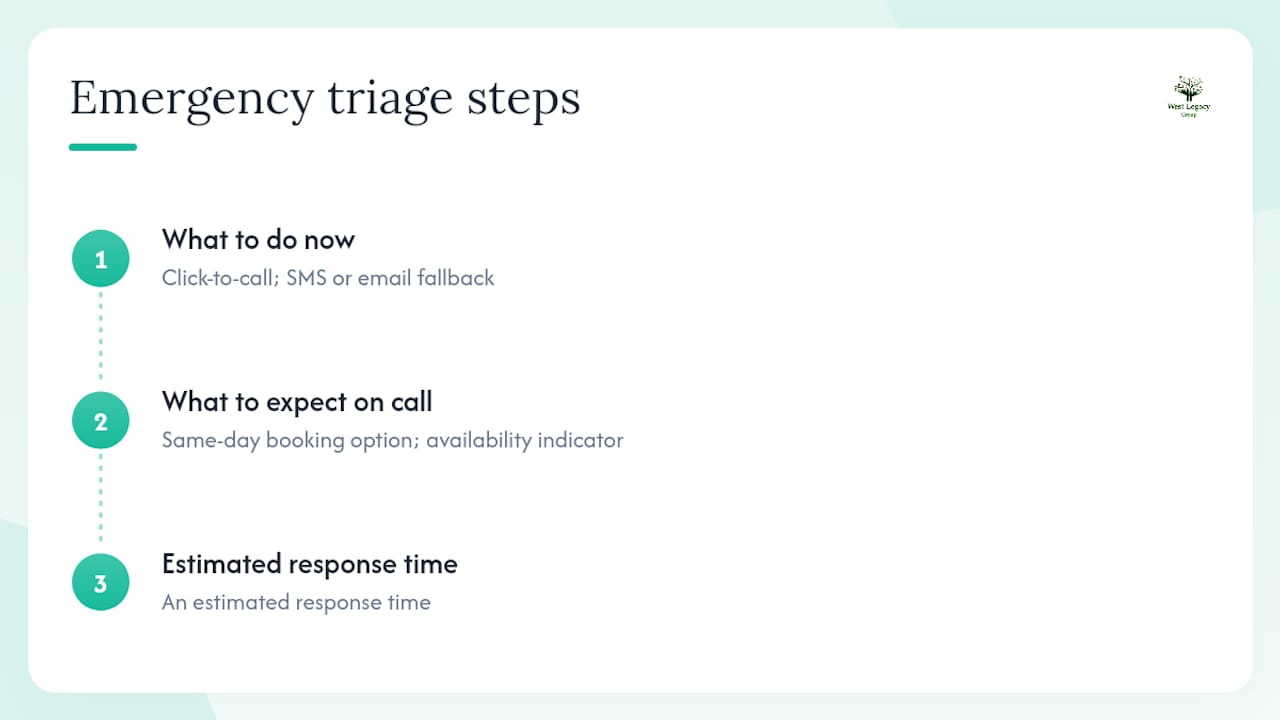
Triage / what to expect comes directly below the hero. Keep it to three numbered steps: what the visitor should do right now, what to expect when they call, and an estimated response time. Avoid paragraphs here. Numbered steps read faster under stress.
Service area and coverage should appear as both a static map graphic and a short text list of suburbs or postcodes. A static image loads even on slow mobile connections where an embedded Google Map might stall. Local area landing pages improve discoverability for nearby searches, so naming your specific coverage suburbs in plain text also helps your local SEO.
Contact components to include: a persistent top or bottom contact bar (phone + hours), a short contact form (name, location, problem, one contact field), and a live-chat or SMS micro-commitment option. RationalGo’s analysis of emergency service sites lists a persistent click-to-call button, a real-time availability indicator, upfront pricing, and a service-area map as the features visitors expect most.
Trust and verification closes the page. Include your licence number, relevant accreditations, and at least two testimonials with dates. An undated testimonial reads as stale. A dated one from last month reads as active and trustworthy.
Pro Tip: Stats-first hero patterns — a coverage search box, a live response-time ticker, and four stat panels sequenced from speed to accreditation — help institutional buyers confirm relevance fast, as demonstrated by the Dispatch EMS landing page template.
How do you design for visitors under stress?
Stress narrows attention. Your design must compensate.
CTA guidelines:
- Use a minimum 44×44px tappable target for all buttons on mobile
- Apply a colour contrast ratio of at least 4.5:1 between button text and background (WCAG AA)
- Keep the phone number in a sticky bottom bar on mobile so it never scrolls out of view
- Label the button with an action, not a noun: “Call Now” beats “Phone Number”
Accessibility checklist for high-urgency pages:
- Minimum 16px body text; 20px+ for primary CTAs
- Skip-to-content link at the top of the page for keyboard and screen-reader users
- ARIA
role="alert"on any live-update region (incident status, response time) - Screen-reader-friendly time and date stamps using
<time datetime="...">elements - High-contrast mode support via CSS
prefers-contrastmedia query
A mobile-first triage flow with a three-step guided form, a persistent sidebar, and a coverage checker reduces friction and converts urgent visitors into confirmed contacts quickly. Keep your contact form to five fields maximum: name, suburb, brief problem description, phone number, and an SMS opt-in checkbox.
Pro Tip: Add a “Save our number” SMS link below your click-to-call button: <a href="sms:+61XXXXXXXXXX?body=Save%20this%20number">Text yourself our number</a>. This micro-commitment keeps your contact accessible even when the visitor closes the browser.
What technical and local SEO steps make the page discoverable?
Mobile-first and page speed are not optional for emergency pages. Prioritise First Contentful Paint under 1.5 seconds by inlining critical CSS, preloading your hero phone-number asset, and removing render-blocking scripts. Use responsive images with srcset and serve WebP where supported.
Structured data is the single most overlooked technical step on emergency service pages. Adding Schema.org
LocalBusinessmarkup withopeningHoursSpecificationset to 24/7 andareaServedlisting your coverage suburbs tells Google exactly who you serve and when. Link the page to your Google Business Profile so your contact details appear in local map results during a search.
SEO metadata template (Australian context):
- Title tag:
24/7 [Service] in [Suburb] | [Business Name] — Call Now - Meta description:
Emergency [service] in [Suburb] and surrounds. Available 24/7, [X]-minute response. Call [phone] or book online. Licenced and insured.
GA4 event tracking plan:
| Event name | Trigger | Why it matters |
|---|---|---|
phone_click |
Click on tel: link |
Primary conversion metric |
form_submit |
Contact form submission | Secondary conversion metric |
coverage_check |
Suburb/postcode search | Signals service-area intent |
page_speed_alert |
Custom dimension via GTM | Flags performance drops during peak traffic |
Pair your GA4 setup with a local SEO checklist to cover Google Business Profile optimisation, citation consistency, and local keyword targeting alongside your page launch.
What legal and safety notes must you include?
Australian emergency pages carry two non-negotiable obligations.
Safety disclaimer (place above the fold and in the page footer): “This website is not a substitute for emergency services. If you or someone else is in immediate danger or requires urgent medical attention, call 000 now.”
Format the 000 number as a click-to-call link: <a href="tel:000">000</a>. Place it in the hero, the footer, and any triage section. Never bury it.
Privacy and data handling for short contact forms:
- State what you collect (name, contact details, problem description) and why
- Specify your retention period (e.g., 12 months from last contact)
- Name your privacy contact and link to your full Privacy Policy
- Comply with the Privacy Act 1988 (Cth) for any personal information you store
Pre-launch checklist before you publish
- Click every
tel:andsms:link on a real mobile device and confirm the call or message opens correctly - Submit the contact form and verify the confirmation message and email notification both arrive
- Test DNS failover by temporarily pointing to your backup host and confirming the page loads
- Run a Lighthouse audit and target: Performance ≥90, Accessibility ≥95, Best Practices ≥90, SEO ≥95
- Load the page on a throttled Slow 3G connection in Chrome DevTools and confirm the phone number and CTA are visible before the page fully loads
- Run a screen-reader pass using NVDA (Windows) or VoiceOver (Mac/iOS) and confirm all CTAs are announced correctly
- Verify all third-party dependencies (Google Maps embed, fonts, analytics) have local fallbacks so the page remains functional if those services are unavailable
- Confirm your caching rules allow an emergency cache-bust (e.g., a query string version parameter) so you can push urgent content updates without waiting for CDN expiry
How do you measure and maintain the page after launch?
KPIs to track:
| KPI | What to watch for |
|---|---|
phone_click rate |
Primary signal; a drop signals a CTA or load problem |
| Form submissions | Secondary conversion; compare against call volume |
| Bounce rate | High bounce on mobile often means slow load or unclear CTA |
| Page speed (TTFB) | Monitor during peak traffic; spikes indicate hosting strain |
| Lighthouse score | Run weekly; flag any score drop below 90 |
Reporting cadence: Run an immediate post-incident report within 24 hours of any major traffic spike. Publish a daily summary while an incident is active. Schedule a weekly lessons-learned review for the first month after launch.
Maintenance checklist (monthly):
- Update the “last reviewed” timestamp in the footer
- Rotate in a new dated testimonial and retire any older than 12 months
- Verify your phone number, address, and service-area map are still accurate
- Re-run your Lighthouse audit and fix any regressions
Copy snippets and layout templates you can use today
Three headline variants:
- Urgent: “Emergency [Service] in [Suburb] — Call Now, We Answer 24/7”
- Measured/institutional: “[Business Name] Provides Rapid [Service] Response Across [Region]”
- Community-facing: “Your Local [Service] Team Is Ready — Day or Night”
Minimal HTML contact form snippet:
<form action="/submit" method="POST">
  <input type="text" name="name" placeholder="Your name" required>
  <input type="text" name="location" placeholder="Your suburb" required>
  <textarea name="problem" placeholder="Briefly describe the problem" required></textarea>
  <input type="tel" name="phone" placeholder="Your phone number" required>
  <label><input type="checkbox" name="sms_opt_in"> Send me updates by SMS</label>
  <button type="submit">Send — We'll Call You Back</button>
</form>
<a href="tel:+61XXXXXXXXXX" class="cta-primary">Call Now — 24/7</a>
Single-column mobile-first block order:
- Sticky top bar (phone + hours)
- Hero (headline, situation summary, click-to-call, SMS fallback)
- Three-step triage instructions
- Service-area map + suburb list
- Trust signals (credentials, dated testimonials)
- Short contact form
- Safety disclaimer + 000 callout
- Footer (address, privacy policy, licence number)
The single-column layout is not a design compromise — it is the right choice for emergency pages. Visitors on a mobile device during a crisis will not hunt across columns. Every element in a single stack is reachable with one thumb and one scroll direction.
The BusinessPress online demo shows this layout and theming in action and is a useful visual reference for designers before they open a code editor.
Developer resources to spin up the page fast
The emergency landing page demo repository on GitHub gives you a prebuilt workflow with Tailwind CSS and Pug/HTML templates. Three commands get you running:
npm install— installs all dependenciesnpm run watch— starts the dev server with live reloadnpm run build— compiles production-ready assets
Replace images in ./src/assets with your own photography or icons. Update the Tailwind config variables (primary colour, font stack, spacing scale) to match your brand. Export finished pages as static HTML for deployment to any CDN or hosting provider.
Hosting recommendations for Australian emergency pages:
- Use a CDN with Australian edge nodes (Cloudflare or AWS CloudFront with Sydney region) to keep latency low during peak traffic
- Configure a secondary origin as a failover so the page stays live if your primary host goes down
- Set cache headers to allow a version-parameter cache-bust for urgent content updates
Pro Tip: Prepare a staging version of the page inside your CMS or as a separate draft site. When an incident occurs, you publish in one click rather than building under pressure.
Why most emergency pages fail before the first call comes in
The gap between a page that looks ready and one that actually performs under pressure is almost always the same thing: it was built for a calm visitor, not a stressed one.
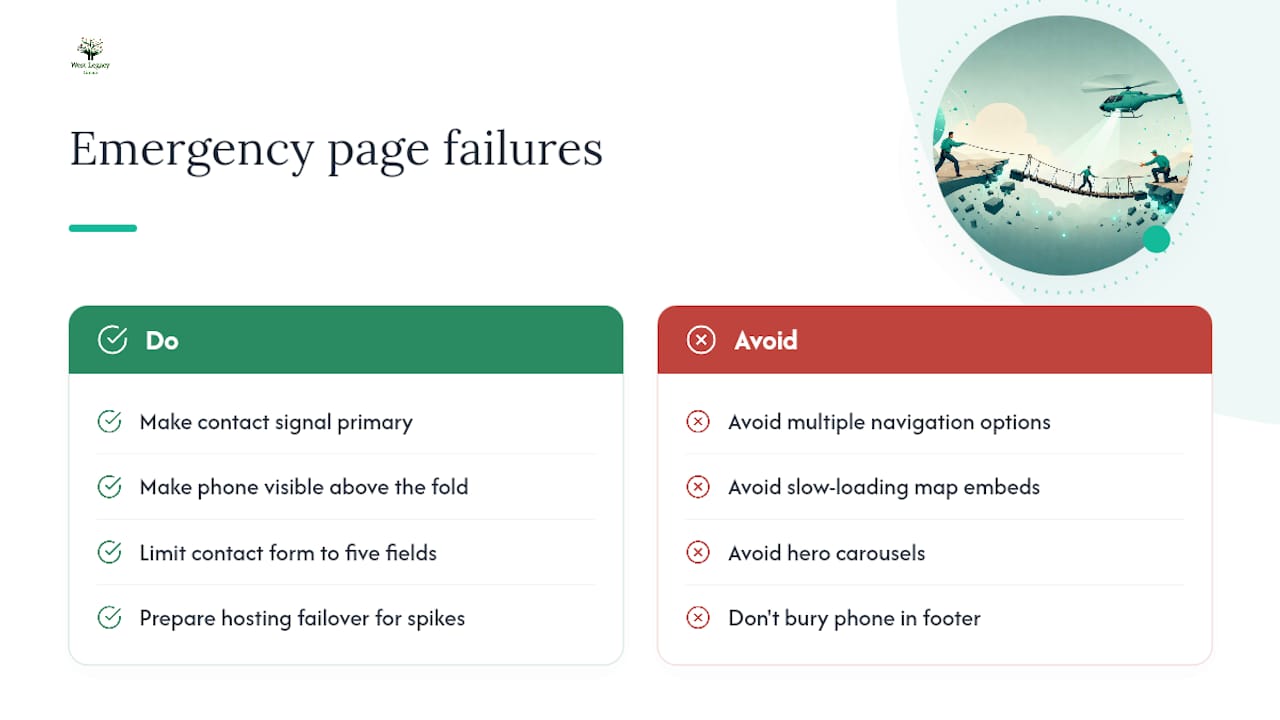
Pages with multiple navigation options, slow-loading map embeds, and a phone number buried in the footer are designed for browsing. Emergency visitors do not browse. They scan for one signal — “can this person help me right now?” — and if they do not find it in the first few seconds, they leave.
The pages that convert well share a single structural discipline: every element either moves the visitor toward contact or it is removed. That means no hero carousel, no “about us” paragraph above the fold, and no contact form that asks for more than five fields. The local SEO and conversion principles that apply to any landing page apply here with higher stakes. A missed call on a standard service page is a lost sale. On an emergency page, it can mean something worse.
The other failure mode is technical: a page that scores well in testing but goes down under real traffic because the hosting plan was not sized for a spike. Build your failover before you need it, not after.
West Legacy Group can build and launch your emergency page
West Legacy Group builds emergency landing pages for Australian local service providers, combining WordPress development, Schema.org structured data, GA4 event tracking, and local SEO into a single, publish-ready package. You get a mobile-first page with a persistent click-to-call, a compliant contact form, and Google Business Profile linkage, without the back-and-forth of a traditional agency engagement.

The process is straightforward: a brief audit of your current web presence, delivery of a tested page template, and launch support including your initial GA4 event configuration. Pricing starts with West Legacy Group’s small business website packages, which are built to be affordable for local operators. If you want to pair the page with an ongoing local SEO campaign, the build-your-own SEO plan lets you choose exactly the services you need. Contact West Legacy Group today to book a quick audit and get your page live.
Sources
- Emergency landing page best practices (web design for disaster) — Kalamuna
- Emergency landing page demo repository — GitHub
- Triage — telemedicine landing page template — Rocket
- AI website builder for locksmith — emergency service — RationalGo