

An AI growth plan is a structured, budget conscious approach to marketing your small business using AI tools for content, automation and analytics, built around your website, Google Business Profile and search performance. It is not a piece of software you buy. It is a sequence of decisions and tasks that make your business easier to find, whether the searcher is a person on Google or an AI answer engine drafting a response.
The single best first move is an AI-readiness audit. Before you write a word of new content or touch a chatbot, you need a clear picture of your starting point.
Do these three things in the next 24 to 72 hours:
- Log into Google Search Console and check for indexing errors or manual actions.
- Confirm your Google Business Profile has the correct hours, categories, phone number and at least five recent photos.
- Pick one “money page” (your main service or product page) that needs a rewrite.
Table of Contents
- What are the key components of an AI growth plan?
- A 30 and 90-day AI growth plan sprint
- Which AI and SEO tools are worth paying for?
- How do you measure AI-driven growth?
- Who does what: roles in an AI-assisted workflow
- How West Legacy Group builds an affordable AI growth plan for you
- Get a starter AI growth plan built around your business
- Frequently asked questions
- Sources
What are the key components of an AI growth plan?
Every workable AI growth plan for a small business rests on the same five pillars, in roughly this order of importance.
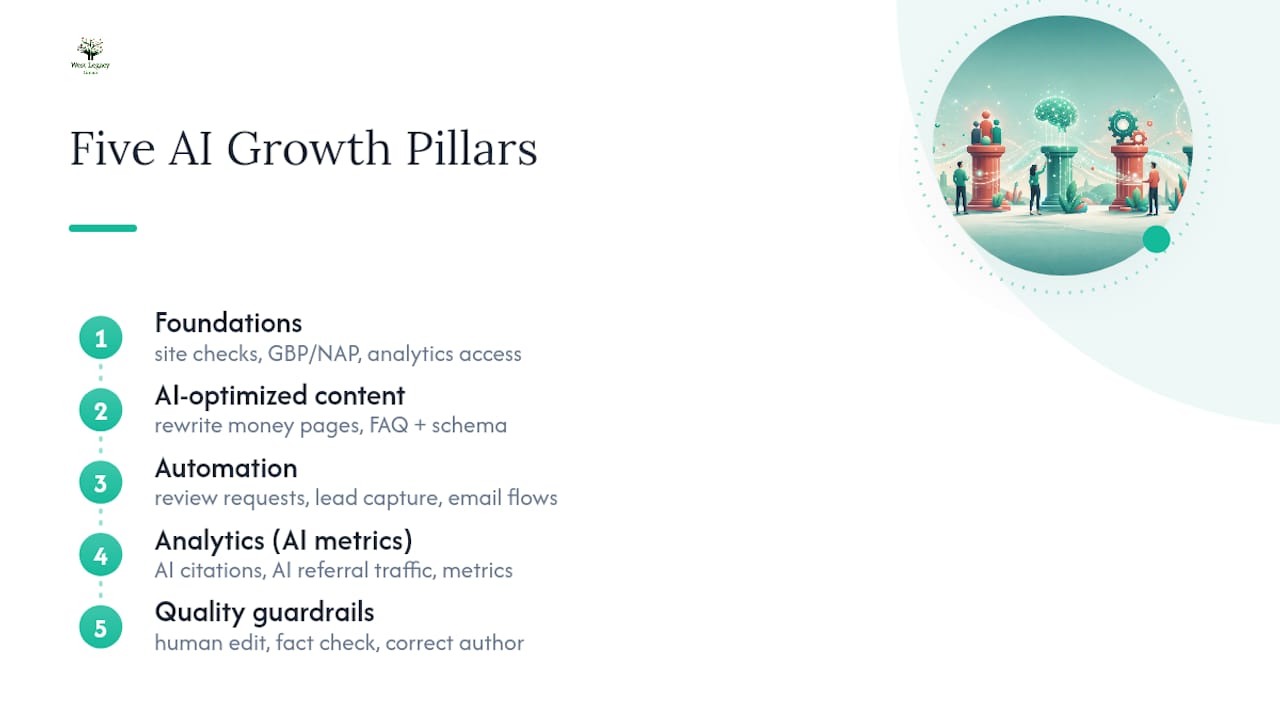
Foundations come first: technical checks (is the site indexed, mobile friendly, fast enough), Google Business Profile and NAP (name, address, phone) consistency across directories, and confirmed access to your own analytics. Skipping this step is the most common reason AI-assisted content efforts stall.
Content built for both people and AI systems. This means rewriting your core money pages for clarity, adding FAQ sections marked up with schema, and writing in a way that answers a specific question rather than talking around a topic. Prioritising Google Business Profile completeness and schema markup is consistently cited as one of the strongest levers for local and AI visibility.
Automation for the repetitive stuff: review requests after a job or sale, a simple lead capture form that routes to your inbox or CRM, and basic email follow up sequences.
Analytics and AI-specific metrics, covered in detail further down, including AI citations and AI referral traffic.
Quality guardrails: every AI-assisted draft gets a human edit, a fact check, and correct author attribution before it goes live.
A 30 and 90-day AI growth plan sprint
Trying to do everything at once is how small business owners burn a weekend and give up. A staged sprint keeps the workload realistic and lets you prove the plan works before you spend more money or time on it.
Week 1: audit and triage
- Run the AI-readiness audit: Search Console errors, mobile speed, broken links.
- Complete every field on your Google Business Profile, including services and Q&A.
- Select one money page as your rewrite priority.
- Add FAQ schema to that page and one other high-traffic page.
Weeks 2 to 4: build and publish
- Publish the rewritten money page with clearer structure and a direct answer up top.
- Publish one or two supporting FAQ or guide pages that link back to it.
- Set up automated review requests through email or SMS.
- Establish a baseline report: current rankings, traffic and lead numbers before anything changes.
30 to 90 days: measure and expand
By day 30 you should have a small cluster of related content live, review automation running, and a baseline you can compare against. Between four and eight weeks is the realistic window for early movement, since generative engine optimisation for small businesses typically shows measurable results in that timeframe once the foundational work is done. By day 90, check whether your rewritten page is being picked up in AI-generated answers and whether organic enquiries have shifted.

Pro Tip: Don’t rewrite five pages before you’ve measured the results of rewriting one. A 30-day sprint focused on a single money page plus supporting FAQs proves the approach works before you commit more budget.
Decide early what stays in-house and what gets outsourced. Technical schema work, ongoing content cadence and monthly reporting are the tasks small business owners most often hand to a service like West Legacy Group, while the day-to-day review requests and photo updates can usually stay internal.
Which AI and SEO tools are worth paying for?
You do not need an expensive stack to start. Most of the early groundwork runs on free tools, and the right approach for small businesses is a lean toolset first, adding paid options only once you’re publishing consistently.
Free essentials:
- Google Search Console for indexing and query data.
- Google Analytics for traffic and conversion tracking.
- A free schema markup generator for FAQ and LocalBusiness markup.
- The free tiers of ChatGPT or Claude for drafting and outlining.
Low-cost paid additions, once you have a steady publishing rhythm and an editor checking the output: tools like Surfer or Frase for content optimisation, or HubSpot’s AI-assisted content and AEO features if you’re already using its CRM. These typically cost somewhere between $30 and $150 a month depending on the tier.
A sensible trigger for stepping up spending is consistency, not ambition: if you have published on a regular schedule for two or three months and can see the traffic data to prove it, a paid tool earns its keep. If you are still finding your rhythm, run a 30-day free trial, track whether it saves genuine time or improves output quality, and cancel it if it does not.
How do you measure AI-driven growth?
The mistake most small businesses make is tracking vanity numbers, posts published, words written, instead of the signals that actually indicate growth. Measuring AI citations and AI referral traffic alongside conversion metrics gives a far more honest picture than counting content output.
Primary KPIs to track:
- AI citations: mentions or quotes of your business in answers from tools like ChatGPT, Perplexity or Google’s AI Overviews.
- AI referral traffic: visits landing on your site from AI answer engines, visible in Analytics as a referral source.
- Conversion events: phone calls, form submissions, bookings, or add-to-cart actions.
Secondary KPIs: search impressions and clicks in Search Console, average time on page, and review volume and sentiment on your Google Business Profile.
AI referral traffic to small business websites has grown sharply as answer engines mature, with one analysis recording a 123% increase over a short measurement period. That is a strong argument for tracking the metric from day one rather than adding it later once you have nothing to compare against.
Set your baseline in week one, then check weekly for the first month and monthly after that. A simple dashboard needs four fields: date, AI citations found (via manual search checks), AI referral sessions, and conversions. Attribute a gain to the plan only when it follows a specific change, like the money page rewrite, not a general market shift.
Who does what: roles in an AI-assisted workflow
An AI growth plan fails when nobody owns the quality control. Split the work clearly.
- Business owner: sets priorities, approves the money page rewrite, owns the outcomes.
- Editor: reviews every AI-assisted draft for accuracy, tone and factual correctness before publishing.
- Developer: handles technical fixes, schema implementation and site speed issues.
- Agency or consultant: sets strategy, manages the retainer relationship, and reports on progress.
The workflow itself should follow a fixed order: brief, AI draft, human edit, schema markup, publish, monitor, iterate. Skipping the human edit step is one of the most common reasons AI-assisted content underperforms, because unchecked drafts drift into vague claims or factual errors.
Before anything goes live, verify pricing, licence details, and any testimonial against a real source. Assign author attribution to every page, set a quarterly update schedule, and document a simple correction process for when something needs fixing.
Pro Tip: Keep a one-page verification checklist next to your publishing calendar: pricing confirmed, claims sourced, testimonial real, schema tested. It takes two minutes and catches most of the errors that damage trust.
How West Legacy Group builds an affordable AI growth plan for you
West Legacy Group has spent more than 20 years helping small businesses and start ups build a lasting digital presence, long before “AI growth plan” was a phrase anyone searched for. That history means the AI layer gets bolted onto solid SEO and web fundamentals, not used as a substitute for them.
A typical starter engagement includes:
- A full AI-readiness audit covering site health, Search Console signals and Google Business Profile completeness.
- A rewrite of one priority money page with FAQ schema added.
- Google Business Profile fixes for NAP consistency and category accuracy.
- Monthly reporting so you can see AI referral traffic and conversions move.
Services are available as single items or as a monthly subscription retainer, so you can start small and scale up once you see results. If you want a starting point mapped to your own website design and growth package, that is the fastest way to get a concrete plan in front of you.
Author perspective from West Legacy Group
Every failed AI growth plan I’ve reviewed has the same root cause: someone skipped verification because the draft “sounded fine.” Sounding fine is not the same as being correct. Start small, measure honestly, and put a human between every AI draft and your website.
The strongest AI growth plan pairs disciplined human editing with AI drafting speed, built on solid technical and Google Business Profile foundations first.
| Point | Details |
|---|---|
| Start with an audit | Check Search Console, Google Business Profile and analytics access before writing anything new. |
| Fix one money page first | Rewrite a single priority page with FAQ schema rather than spreading effort thin. |
| Track AI-specific metrics | Log AI citations and AI referral traffic alongside conversions, not just publishing counts. |
| Keep humans in the loop | Every AI draft needs an editor to check facts, pricing and claims before it goes live. |
| Scale with a partner when ready | West Legacy Group offers starter audits and monthly retainers once you outgrow the DIY sprint. |
Helpful reads and tools to check next
For deeper detail, see HubSpot’s guide to generative engine optimisation for small business and the AI SEO playbook for small business.
Get a starter AI growth plan built around your business
West Legacy Group is the practical alternative to hiring a full digital agency or trying to piece together a plan from a dozen scattered tutorials. Instead of a lengthy strategy deck, you get a working starter package: an audit, one rewritten money page, Google Business Profile fixes and a monthly report showing what actually moved.

If your growth plan involves automating parts of your day-to-day operations, tools like TradeSmith’s approach to AI invoicing show how far automation can stretch beyond marketing alone. And if lead capture is where you’re losing the most ground, a resource like this guide to lead generation automation is worth a read alongside your plan.
Whether you want the fully managed version or prefer to build your own SEO plan using West Legacy Group’s template as a guide, the next step is the same: request a starter audit and see exactly where your site and Google Business Profile stand before you spend another dollar on content.
Frequently asked questions
How much does an AI growth plan cost for a small business?
Most small businesses can start with free tools like Search Console and a free-tier AI assistant, spending nothing until they have a steady publishing rhythm. Paid tools generally sit between $30 and $150 a month once you’re ready to scale.
How long before an AI growth plan shows results?
Early signals, like index status and AI citation checks, tend to appear within four to eight weeks once foundational work like Google Business Profile completion and schema markup is done.
Do I need a developer to implement schema markup?
Not necessarily. Many free schema generators produce code you can paste into WordPress with a plugin, though a developer is useful if your site has custom templates or ongoing technical issues.
What’s the biggest mistake small businesses make with AI content?
Publishing AI-generated drafts without a brief or a human edit. Skipping that step is one of the most common reasons AI-assisted content underperforms, since unchecked drafts often drift into vague or inaccurate claims.
Sources
- Generative engine optimization for small business: How to win with a small budget in 2026
- AI SEO for Small Business: The Complete 2026 Playbook — AI Growthub