

Optimise the collection title, add unique collection copy, and fix faceted URL canonicals. That single sequence delivers the fastest lift in shopify collections SEO because titles and meta descriptions move click-through rate quickly, while description content and canonical fixes move rankings over the following weeks. Roll the change out, then watch Google Search Console. Expect modest CTR gains in days and bigger ranking gains once Google recrawls and reassesses your fixed collection URLs.
TL;DR:
- Focus on improving collection titles, meta descriptions, and content content, as these changes yield quick click-through rate and long-term ranking improvements.
- Use short, keyword-rich handles for URLs and avoid changing them once indexed, to maintain consistent search rankings.
- Avoid excessive faceted URL creation by blocking unnecessary filter combinations and properly canonicalizing paginated pages to prevent duplicate content issues.
- Build internal links to high-priority collections and include reviews and user content to boost relevance signals for both search engines and shoppers.
- Prioritize mobile page speed by compressing images and minimizing slow-loading apps, as load times directly affect collection rankings and visitor retention.
Table of Contents
- Quick checklist: top 6 fixes to apply to a collection now
- How should you structure and name your collections?
- Where should collection copy actually go?
- Are your faceted filters wasting Google’s crawl budget?
- How do you build internal authority for priority collections?
- How do you know which fixes are actually working?
- What tools help once you have dozens of collections to manage?
- Does page speed on mobile actually affect collection rankings?
- Can reviews and user content improve collection page relevance?
- How do you write collection copy that actually sells?
- Can you run banners and promos on a collection page without hurting rankings?
- How should seasonal collections differ from evergreen ones?
- Author perspective: why West Legacy Group prioritises collections in every audit
- Ready to fix your collections? Here’s how West Legacy Group helps
- Sources
Quick checklist: top 6 fixes to apply to a collection now
Before you touch anything else in your Shopify admin, work through this list on your busiest collection page. Each item is a five-minute edit with a real payoff.
- Edit the page title so your primary keyword sits at the front and the whole string stays under 60 characters.
- Write a meta description around 150 characters that gives shoppers a reason to click, not just a repeat of the title.
- Add a short intro above the product grid, then 150–250 words of genuinely useful content further down if your theme supports it.
- Check the URL handle is clean and keyword led, not a leftover default like “collections/frontpage-2”.
- Add descriptive alt text to every collection image, not just the hero banner.
- Confirm canonical tags and faceted filter URLs aren’t creating duplicate, competing pages in Google’s index.
None of these fixes require a developer. All six sit inside Shopify’s own SEO admin fields, which is exactly why collections get neglected. There’s no big migration required, just discipline.
How should you structure and name your collections?
Shopify automatically pulls your collection’s title into both the page’s H1 and, by default, the SEO title tag. That’s convenient until you realise “Winter Sale” makes a fine H1 but a weak SEO title. Override the “page title” field in the Search Engine Listing Preview section separately, and lead with the phrase shoppers actually type, not the internal name your merchandising team uses.
Handle structure matters more than most merchants think. A few rules worth locking in:
- Keep handles short and keyword rich:
/collections/mens-leather-bootsbeats/collections/mb-2026-final. - Drop dates, promo codes, and internal shorthand from the slug. They date the page and confuse crawlers.
- Avoid changing handles once they’re indexed. If you must, set a 301 redirect immediately.
The bigger decision is automated versus manual collections. Smart (automated) collections scale well when you’re managing hundreds of SKUs and want rules based on tags, type, or vendor. Manual collections signal editorial intent. Curating “Best Gifts Under $50” by hand tells Google, and shoppers, that a person made deliberate choices rather than a rule engine.
Pro Tip: Run smart collections for your bulk catalogue structure, but build two or three manual “editor’s pick” collections around your highest-margin products. They’re small extra work with outsized conversion value.
Where should collection copy actually go?
Most Shopify themes render a collection page in three zones: the header (H1 plus banner image), the product grid, and an optional content block underneath. The description field is your main lever, and how you split content across it matters as much as what you write.
A pattern that works well in practice:
- One to three sentences above the grid, keyword led, so shoppers immediately know they’re in the right place.
- 150–300 words below the grid as a genuine buying guide, when your theme allows it.
- Meta description written for humans first, roughly 150 characters, with a clear reason to click through.
- Alt text on every product image, written as a description, not a keyword dump.
Collections carrying 150 to 250 words of unique description content tend to rank for more keyword variations than bare product grids. A good buying guide answers who the collection is for, how to choose between the options inside it, what features actually matter, and the phrases customers use when they’re searching, not the jargon your supplier uses.
Are your faceted filters wasting Google’s crawl budget?
Faceted navigation, colour, size, price filters, is a conversion tool that quietly becomes an SEO liability. Every filter combination can generate its own URL, and on a mid-size catalogue that can multiply into thousands of near-duplicate pages competing against each other for the same terms.
Shopify’s default robots.txt already blocks most /collections/*+* filter combinations, which is the right starting point for most stores. Leave that default in place unless you’ve deliberately built a filter combination, say “waterproof hiking boots size 10”, that gets genuine search volume and deserves its own indexable landing page.
A few checks worth running quarterly:
- Confirm paginated collection pages (page 2, page 3) self-canonicalise rather than all pointing back to page 1.
- Run a crawler across your site to map every tag and filter URL pattern actually being generated.
- Cross-reference those patterns against Search Console’s coverage report before applying blanket noindex rules.
Pro Tip: Don’t block filter URLs indiscriminately. A specialist review of Shopify collection structures found that indiscriminate robots rules can hide filter pages that are already ranking, which means you lose traffic you already had. Check first, block second.
If faceted URLs are multiplying faster than you can manually review, our guide to faceted navigation SEO walks through the canonical and robots setup in more depth.
How do you build internal authority for priority collections?
Search engines weigh internal links as votes of confidence. A collection buried three clicks deep with no inbound links from your blog is telling Google it’s low priority, even if the products inside it convert brilliantly.
Get your highest-value collections into primary navigation and breadcrumb trails where shoppers, and crawlers, will actually find them. Then link to each priority collection from at least two relevant blog posts or buying guides, using descriptive anchor text rather than “click here” or “shop now”. A “related collections” block placed contextually within your content works far better than a footer dump of every category you sell, because footer links carry little weight and dilute the signal.
Our piece on internal linking for ecommerce covers the specific link patterns that pass the most authority to commercial pages.
How do you know which fixes are actually working?
Guesswork is the enemy here. Before changing anything, pull your collection’s current position, click-through rate, and impressions from Google Search Console, then note organic sessions and conversion rate from Shopify analytics. That’s your baseline.
- Identify candidates: sort Search Console by impressions to find collections already getting visibility but low clicks. That’s a title and meta description problem, cheap to fix.
- Apply changes to five collections, not fifty. Titles, descriptions, canonicals, whatever the audit flagged.
- Wait 30 to 90 days for Google to recrawl and re-rank, then compare against baseline.
- If a change lifts rankings or CTR, roll the same template to similar collections. If it doesn’t, diagnose before scaling.
This pilot-then-scale approach is standard practice across successful Shopify collection audits, and it stops you wasting weeks rewriting fifty pages before you know the approach even works. Pairing Search Console data with onsite search analytics also reveals collections shoppers are hunting for that don’t exist yet.
What tools help once you have dozens of collections to manage?
Once a catalogue passes fifty or so collections, manual review stops scaling. Bulk edits save real time, but only when you template carefully. Build a title formula (Primary Keyword + Modifier + Brand) and a meta description formula, then apply them in batches rather than freehanding each one.
- Pilot the template on five collections first, check results, then scale, never roll a new template to your entire catalogue on day one.
- Use a crawl and reporting tool to spot canonical or faceted issues across hundreds of URLs at once, since manual checking simply won’t catch them all.
- For accurate rank tracking across large catalogues, especially where personalised search results skew what you see manually, a service like RotatingProxyHub’s SEO monitoring proxies can help simulate clean, location-neutral searches.
- Keep a rollout log: which collections got the new template, when, and what the before and after metrics were.
Templates are efficient, but identical descriptions copy-pasted across similar collections create their own duplicate content problem. Vary the specifics, product features, sizing notes, use cases, even when the structure repeats.
Does page speed on mobile actually affect collection rankings?
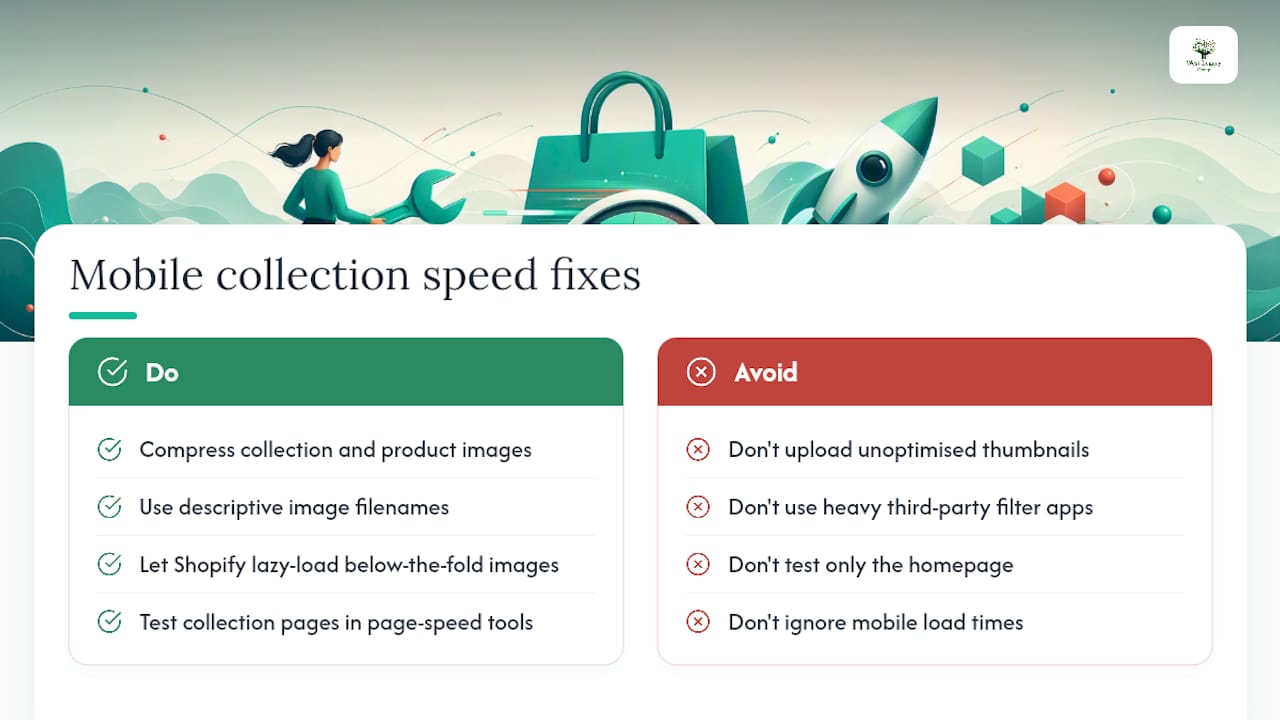
Yes, and collection pages are usually the worst offenders on a Shopify store. They load more images than any other page type, and every unoptimised product thumbnail compounds the problem across a 24 or 48 product grid.
Start with images. Compress every collection and product image before upload, and let Shopify’s built-in lazy loading handle images below the fold rather than forcing every thumbnail to load at once. File names matter too: mens-leather-boots-tan.jpg tells Google far more than IMG_4521.jpg, and it’s a five-second fix during upload.
Filter apps are the other common culprit. Heavy third-party filtering apps can add render-blocking scripts that tank mobile load times, particularly on collections with a lot of facets. Test your actual collection pages, not just your homepage, in a page speed tool, because Shopify’s baseline theme performance rarely reflects what happens once you’ve added five apps and a custom filter widget.
Mobile matters more on collection pages than almost anywhere else in your store, because this is where most shoppers browse before they commit to a single product. A collection page that takes four seconds to load on a phone loses browsers before they’ve even seen your grid, regardless of how good your copy or your canonical setup is. Fix speed and you’re protecting every other fix on this list.
Can reviews and user content improve collection page relevance?
Google increasingly reads collection pages as authority signals for a category, not just as navigation. Reviews and other shopper generated content strengthen that signal in ways written copy alone can’t.
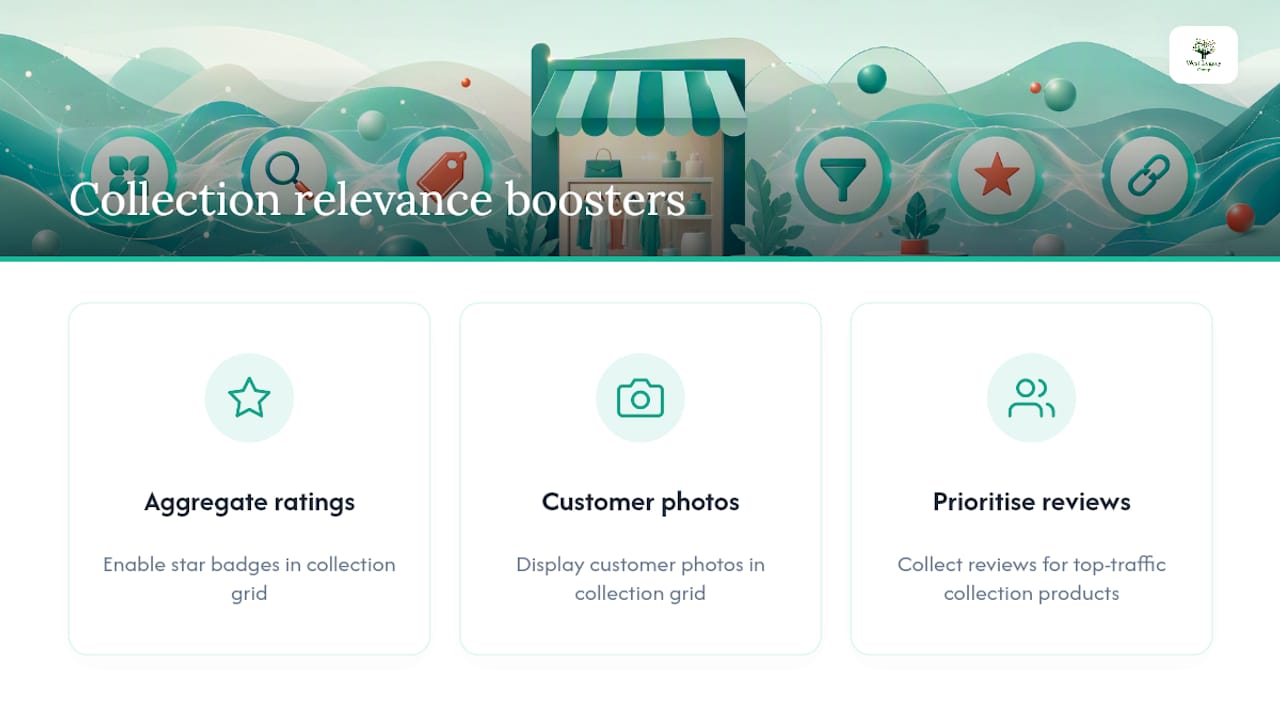
If your theme supports aggregate review ratings pulled through to the collection grid, turn that feature on. Star ratings visible at the grid level give Google fresh, unique content tied to real products, and they lift click-through rate directly, shoppers trust a 4.8 star badge more than adjective-heavy copy.
Customer photos work the same way when displayed within a collection, whether through a dedicated gallery block or a “shop the look” style layout. They add unique image content Google hasn’t seen anywhere else on the web, which is exactly the kind of signal that separates a genuinely useful collection page from a templated grid. Structured review data also feeds AI shopping tools that use collection taxonomy to decide what to recommend, so the payoff extends beyond classic search rankings.
If your product review volume is thin, prioritise collecting reviews on the products sitting inside your highest-traffic collections first. That’s where the relevance signal compounds fastest.
How do you write collection copy that actually sells?
Persuasive collection copy and SEO-friendly collection copy are the same job done well, not two competing tasks. The mistake most merchants make is writing either a keyword-stuffed paragraph nobody enjoys reading or a poetic brand statement that says nothing useful.
Start with the shopper’s actual question: what are they trying to solve, and how does this collection solve it. A “Waterproof Hiking Boots” collection intro should tell someone standing in the rain why these boots specifically, not repeat the phrase “waterproof hiking boots” four times.
Structure that tends to convert:
- Open with who the collection is for and the core problem it solves, in plain language.
- Follow with two or three concrete buying criteria, what to check for, common mistakes, size or fit notes.
- Close with a light nudge toward action, without a hard sell tone that clashes with informational content above it.
Write in the specific words your customers use, pulled straight from Search Console query data or your own onsite search logs, not the internal category names your team uses. “Non-slip work boots” outperforms “occupational footwear” every time, because that’s what people actually type.
Can you run banners and promos on a collection page without hurting rankings?
Promotional banners are good for conversion and risky for SEO only when they’re implemented carelessly. The fixes are straightforward once you know what Google actually penalises.
Keep promotional banner text as an image with proper alt text, or as a small HTML block, never as text baked into a JPEG with no alt attribute, since that content becomes invisible to search engines entirely. If a banner links to a temporary sale collection, make sure that page has its own clean title and meta description rather than duplicating the parent collection’s copy.
The bigger risk is interstitials. A full screen popup that blocks the product grid on mobile load can trigger Google’s intrusive interstitial guidelines and suppress rankings. Keep promotional CTAs as inline banners within the page flow, positioned above or beside the grid, not layered on top of it. Time-limited sale banners should also carry an expiry, and be pulled the moment the promotion ends, since a “40% off” banner still live in March looks sloppy to customers and signals stale content to Google.
How should seasonal collections differ from evergreen ones?
Treat seasonal and evergreen collections as two different SEO problems, because reusing the same page each year beats rebuilding it every time.
For a genuinely recurring seasonal collection, “Christmas Gift Guide” or “End of Financial Year Sale”, keep the same URL live year round rather than deleting and recreating it each cycle. Update the content when the season approaches, and let the page sit quiet, but indexed, for the rest of the year. Recreating the same collection annually means starting its search authority from zero every single time, which is the single most common seasonal SEO mistake Shopify merchants make.
Evergreen collections, “Men’s Leather Boots”, “Ceramic Dinner Sets”, need the opposite discipline: consistency over time. Resist the urge to rewrite the title or handle every few months chasing a trending term. Stability lets Google build confidence in the page’s relevance, while frequent structural changes reset that trust.
For genuinely one-off promotions, a flash sale that won’t recur, a short-lived collaboration, it’s reasonable to let the page expire and redirect it once the sale ends, rather than leaving a dead, empty collection indexed indefinitely.
Author perspective: why West Legacy Group prioritises collections in every audit
Across the collection audits we’ve run for small business clients, the pages returning the fastest uplift are almost always ones nobody had touched since the theme was installed. One retail client saw a measurable jump in organic sessions within six weeks of fixing five collection titles and adding proper descriptions, nothing else changed. Audit your top five collections this month. That’s the whole starting point.
— Christopher
Ready to fix your collections? Here’s how West Legacy Group helps
If reading through canonical tags and facet rules made your eyes glaze over, you’re not alone, and you don’t have to do this solo. West Legacy Group runs collection-first SEO audits specifically for small Shopify stores, the kind of hands-on fix list this guide just walked you through, but done for you by people who do it every week.

Our services map directly to what’s covered here: a full collection audit identifying your highest-traffic, lowest-performing pages, unique buying-guide copy written for your actual products, canonical and faceted URL fixes, and ongoing reporting so you can see what’s working month to month. If you’d rather have your whole site rebuilt around solid SEO foundations from day one, our small business website design packages build that structure in from the start. If you already have a store and just need the optimisation work handled, our Bendigo SEO team can audit your top five collections and give you a clear priority list within days. Get in touch and tell us which collections you’d like reviewed first.